
Secure AI Summarizer for Law Firms & Legal Teams.
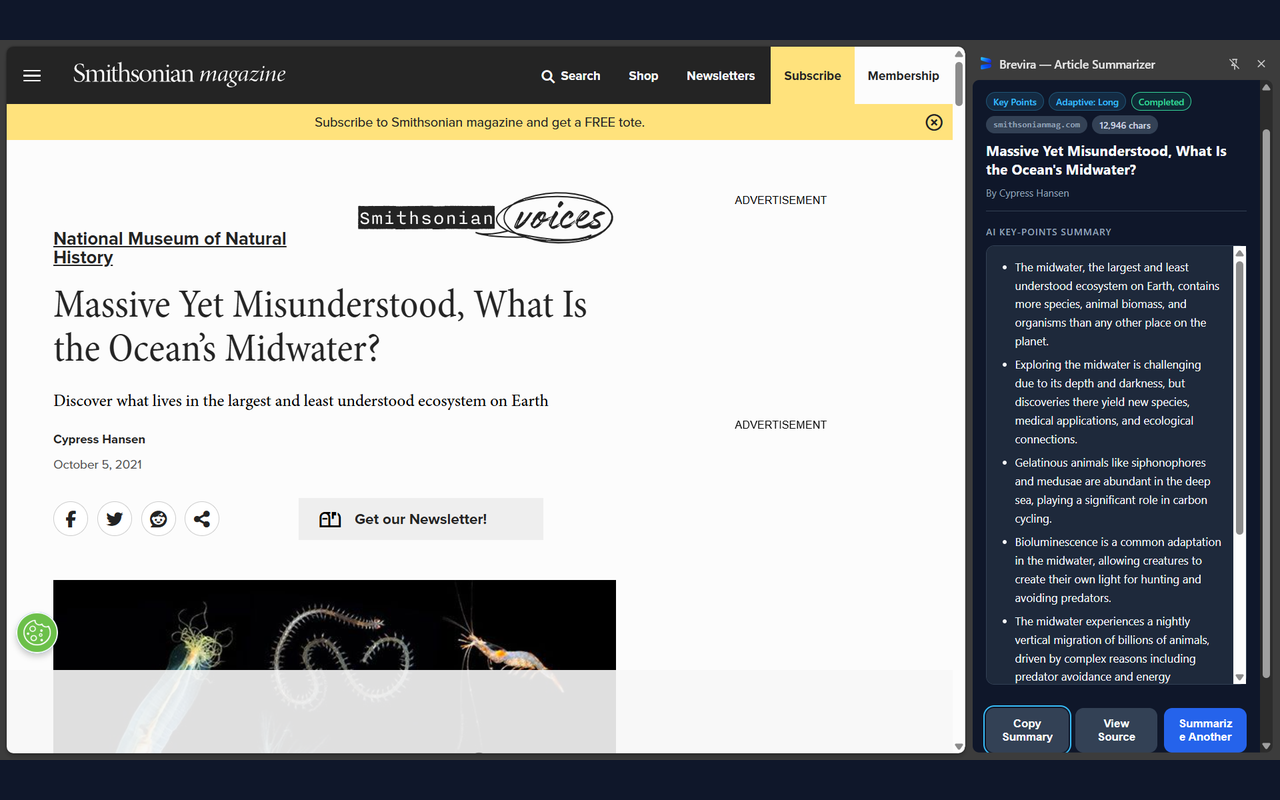
Review extensive case law, judicial rulings, and complex contracts without compromising client confidentiality or ABA Model Rule 1.6 compliance. Brevira executes Chrome's local Gemini Nano AI entirely on your computer—zero text transmitted to external AI servers.
Available for desktop Google Chrome on Windows, macOS, and Linux. No account or API key required.
- Attorney-Client Privilege Intact
- Zero Cloud Server Logs or LLM Training
- 100% Free Local Utility
The Legal Professional's AI Dilemma
Commercial cloud AI tools require uploading document text to external data centers. For lawyers, attorneys, and compliance officers, this presents critical ethical and operational risks.
Confidentiality & Privilege Risk
Pasting client briefs or sensitive discovery documents into cloud chatbots exposes client work product to cloud training sets and subpoena-vulnerable vendor databases.
Context Interruption
Toggling between Westlaw, Lexis, or public dockets and external summarization tools breaks reading flow and cross-referencing capabilities.
Multi-Heading Case Opinions
Standard AI summarizers frequently truncate 60-page opinions from the bottom, completely missing concurrences, dissents, and final procedural orders.
Engineered for Daily Legal Practice
From sole practitioners to AMLaw 100 litigation departments, Brevira provides instant readability and distillation.
Judicial Opinions & Appellate Briefs
Rapidly extract the procedural posture, core statutory interpretation, and ultimate holding of state and federal court opinions directly from your legal research databases (CourtListener, Justia, Google Scholar Legal).
Federal & State Regulatory Notices
Review dense Federal Register notices, SEC guidance letters, and FTC compliance mandates without drowning in administrative boilerplate.
Commercial Contracts & Terms Review
Isolate key covenants, liability caps, indemnification obligations, and governing law sections across long-form vendor agreements in clean Markdown bullet points.
Law Review & Academic Legal Scholarship
Screen legal scholarship, SSRN preprints, and constitutional law analyses to rapidly identify the author's primary thesis and supporting case precedents.
Confidentiality & Compliance Questions
Is Brevira compliant with ABA Model Rule 1.6 (Confidentiality of Information)?
Yes. ABA Model Rule 1.6 requires lawyers to make reasonable efforts to prevent inadvertent or unauthorized disclosure of client information. Because Brevira operates under an on-device architecture, article and document text never leaves your workstation. No document text or metadata is sent to third-party cloud LLM providers, eliminating the risk of unauthorized cloud storage or third-party data processing.
Can Brevira be safely used behind corporate law firm firewalls?
Yes. Brevira uses Chrome's native Summarizer API and declares strict least-privilege permissions (activeTab, scripting, and sidePanel). It makes zero external network API calls during inference, meaning it works reliably even on air-gapped or proxy-restricted enterprise workstations.
Does Brevira retain or cache client documents after closing the tab?
No. Summaries and extracted text reside strictly in volatile memory and ephemeral tab-keyed sessionStorage. The moment you close the browser tab, all cached content is automatically and permanently purged.
Bring Private, Local AI into Your Legal Practice
Zero cloud LLMs, zero subscription costs, and complete protection for your client work product. Install Brevira on desktop Google Chrome today.